The Hex Phantom is a modified PlayStation 5 controller with several advanced features. The most notable of these is a unique module that allows the user to adjust for drift, but it doesn’t skimp elsewhere either, even having some advantages over HexGaming’s already excellent Ultimate Controller.
At the time of writing, the Hex Phantom is available via a Kickstarter due to end in July 2024 and ship out in August 2024. We expect it will later become available via their website. As a disclaimer, our review unit has been sent to us before public availability, but we are not aware of any changes in the final model that will be dispatched.
Gift For Gamer
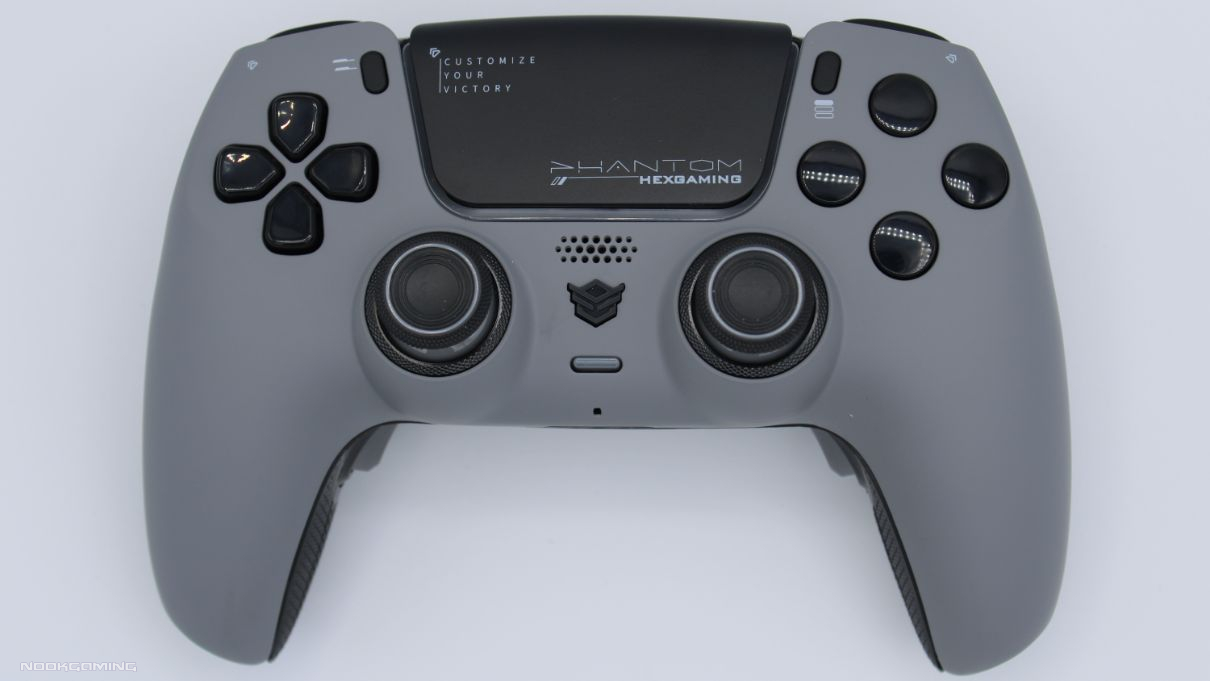
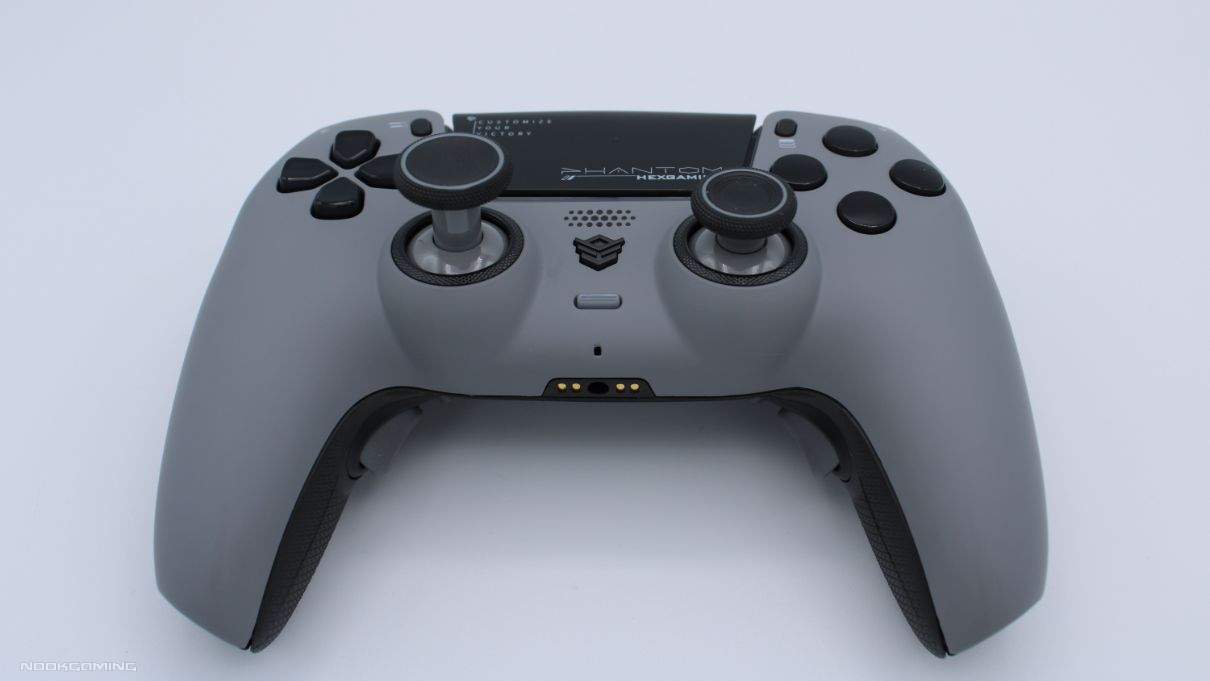
My first impression on opening the Hex Phantom was that it would make a nice gift. It’s very nicely presented and protected in a strong box. When opening it up, it’s all laid out nicely. The controller itself looks great, with materials that appear to be high-quality and little details like the HexGaming logo on the top reflecting in the light. Even the little box of analog sticks is a well-designed case, rather than a generic transparent box with a clip.
While function and quality are certainly most important in a controller, an effort was clearly made here and it is appreciated.
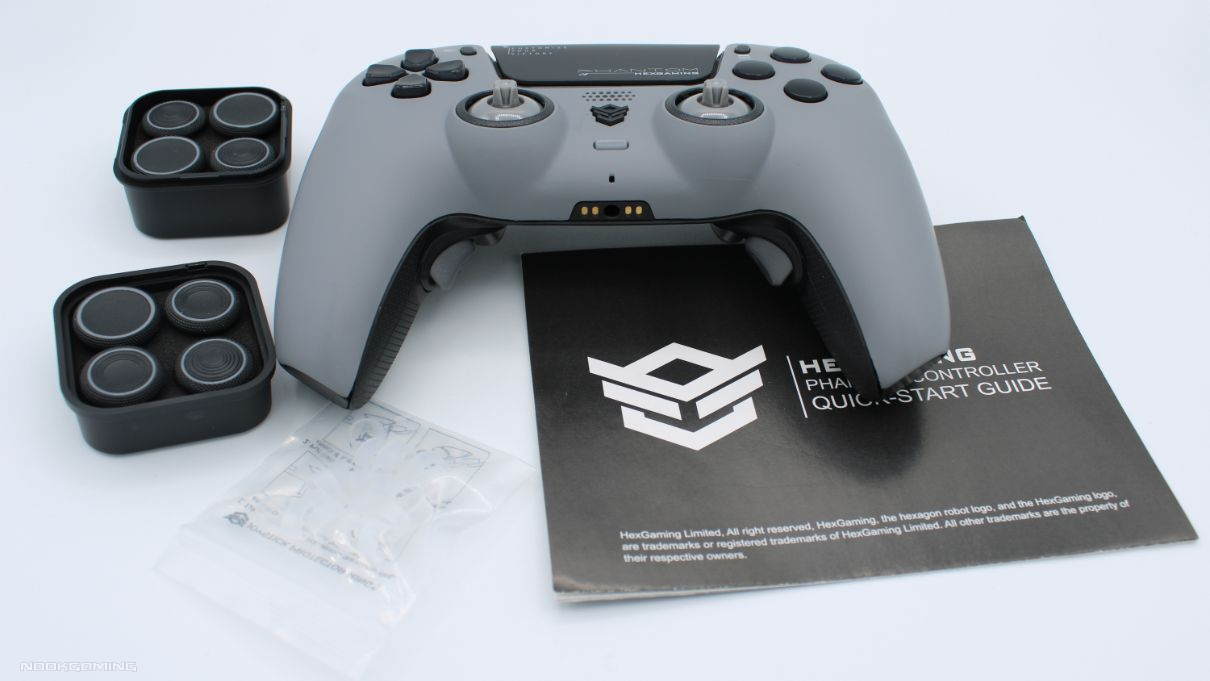
What’s in a Hex Phantom Box?
The Hex Phantom comes with the controller in either gray, black, white, blue, or a retro-style clear casing. There are no thumbsticks on it when opening the box, but these can be found in a separate case.
You can choose from 8 thumbsticks that all come with the controller. These are:
- 2x Concave regular length
- 2x Concave widened long length
- 1x Concave widened regular length
- 2x Convex long length
- 1x Convex regular length
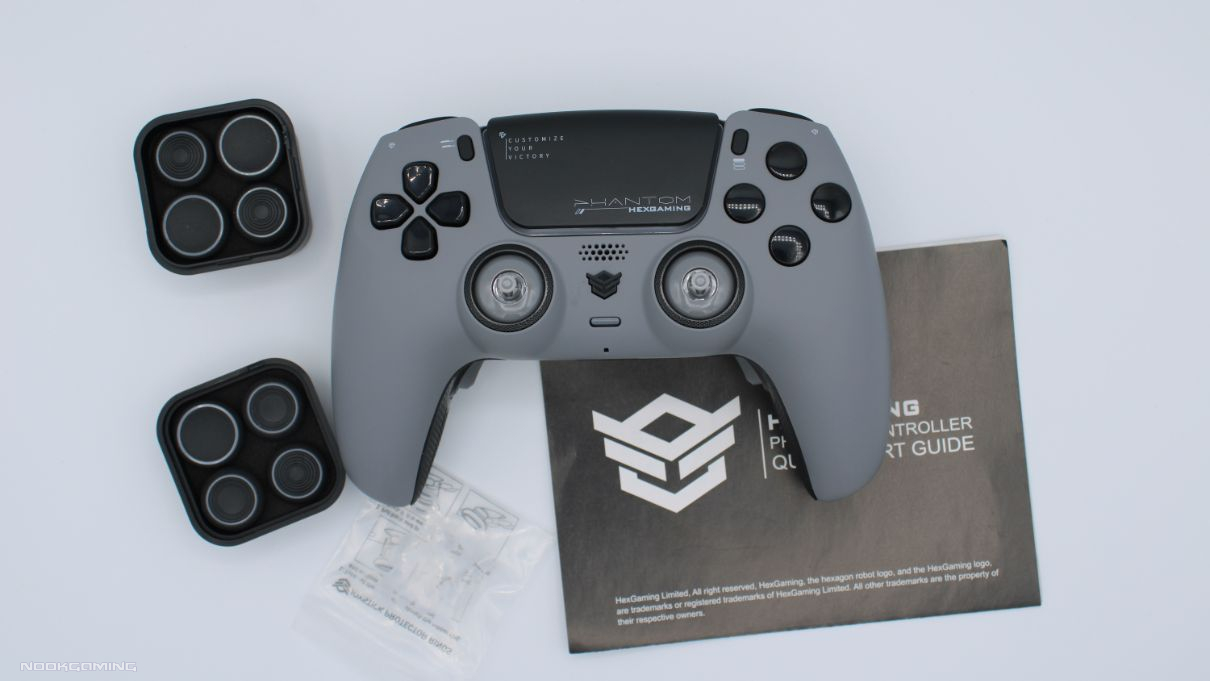
This is quite a good selection, allowing you to choose between the best for movement speed or accuracy depending on your play style and character type in FPS games, or just whatever is most comfortable. As a nice bonus, a bag of joystick protector rings was also included to help reduce wear on the analog sticks.
They’re easy to switch out. It takes seconds to pull them off and put a new one back on. Despite this, they’re attached securely enough that I’ve never had one accidentally come off during gameplay.
Two of the DRIFlX Calibration Tools were also included, hidden away at the bottom of the analog stick box. These are plastic tools that essentially work as tiny screwdrivers to adjust drift.
There is, of course, an instruction booklet too. You can also choose to buy a cable, trigger extenders, and other options but they’re not included by default.
DRIFIX Module
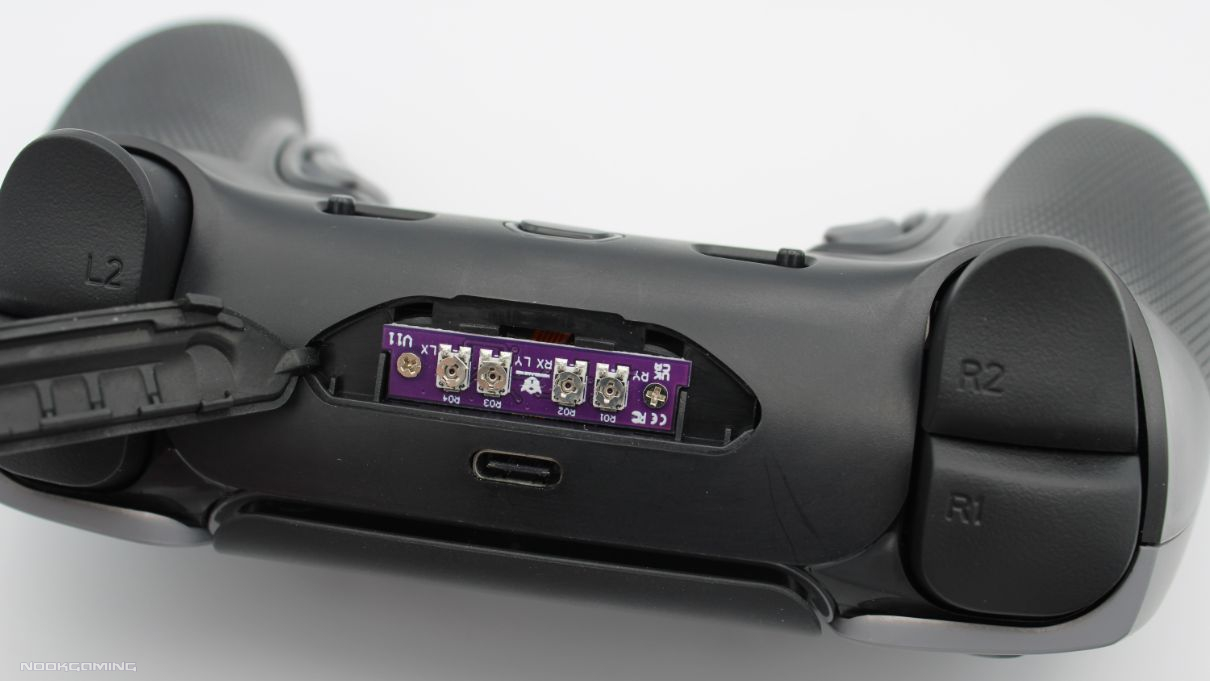
The headline feature of the Hex Phantom is the DRIFIX Module. It combats stick drift by allowing you to adjust and correct joystick deviations within a range of 0.12 units by calibrating it via some hidden controls. It can’t eliminate all problems, but it’s a useful tool to help make those small adjustments over time and the amount it can be adjusted is quite significant.
The way this is adjusted is by lifting a small rubber flap on top of the controller to adjust four tiny screws. Opening the flap is a little difficult, but that’s probably a good thing. Users are rarely going to want to do it and won’t want it to open and expose the circuitry by mistake.
The included tool can be used to turn the screws. The tool itself is a little difficult to use because the parts involved are so small and the turns need to be very precise to make adjustments. I tested this using Gamepad Tester and found it worked well, despite the need to be precise. While we can’t test how the controller will hold up over years of heavy use, this does seem like it should help to extend the lifespan of controllers that do start to drift.
While Hall Effect Joysticks are becoming more common now and would likely be better at combating drift, every competitor I’ve seen doing this is significantly more expensive than the Hex Phantom. The DRIFIX Module is a clever solution that keeps costs down.
Modified Controller
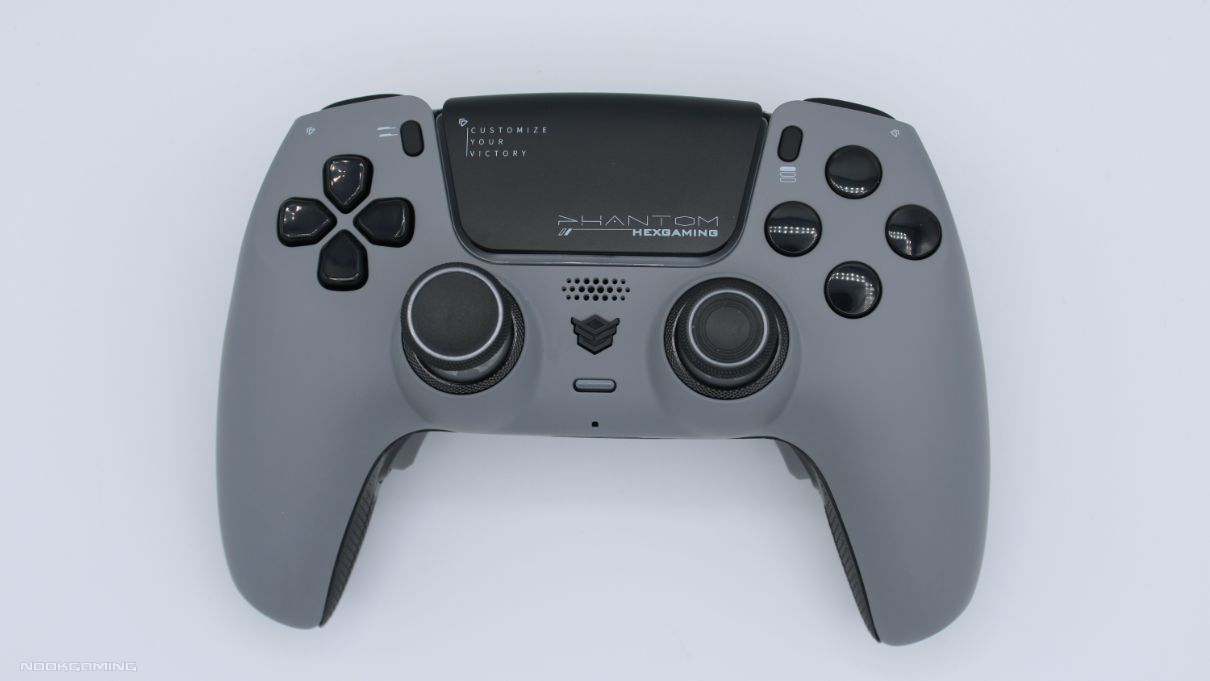
The strength of the Hex Phantom as a modified PlayStation 5 controller, is that it has all the positive points of a regular PlayStation 5 controller. It has the same great ergonomics and features like haptic feedback, adaptive triggers, and so on. This isn’t always the case for modified controllers and certainly isn’t for third-party controllers, so I was pleased to see it here.
One particular feature I was happy to see was a switch so you can change between the standard full-depth adaptive triggers and quick-press digital triggers. This is really the best of both worlds since digital triggers can vastly improve reaction speed in many games such as FPS titles, but they just don’t work for others such as racing games. In digital trigger mode, they feel great, almost like a clicky mouse button. Typically modified controllers for PlayStation 5 are one or the other.
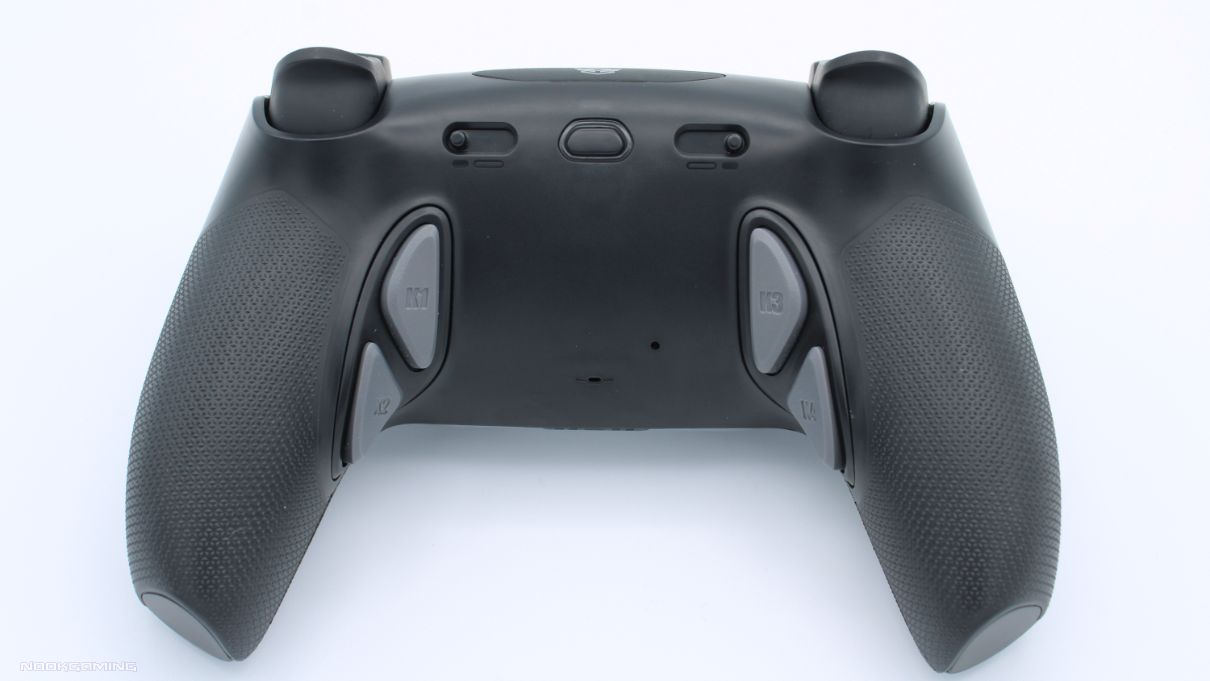
A textured, rubberized grip has been added which covers part of the back of the controller. It’s completely integrated and level with the controller, unlike the aftermarket grips placed on top of controllers. It does add to comfort and helps grip a lot. It’ll probably be appreciated even more by people who sweat a lot.
I mentioned when looking at the HexGaming Ultimate Controller that the Options and Share buttons were a little too small and awkward to press. Luckily, this isn’t the case here. They appear to be identical to the original PlayStation 5 buttons for them.
About the only thing that’s on a regular PlayStation 5 controller that’s missing here is the symbols on the action buttons. I understand there are reasons for this, but it’s always a pity. An option for mechanical face buttons would be nice too if customization options are ever offered.
Profiles & Additional Buttons
As is common with ‘pro controllers’, the Hex Phantom comes with back buttons that you can map other buttons to. There are four of them in this case and they’re extremely comfortable to use. I find this a much better layout than the standard paddles as they line up perfectly with how I hold the controller.
Any of the face buttons, d-pad buttons, analog buttons, shoulder buttons, or the touchpad can be assigned to the four buttons. Six profiles can be set with these configurations and they can be switched between easily, with the light on the back changing color to let you know which is currently in use.
These are very easy to assign. It’s just holding the setting button to enter setting mode, holding the relevant two buttons for a few seconds, and then holding the setting button again. The light on the back lets you know when it’s in setting mode.
It’s easy to use, and comfortable to press. There are quite a few profiles too. While more options for modded controllers may become available in the future, this is currently as good as it gets, not including very specific mods like macros for certain moves in specific FPS games.
Verdict
The Hex Phantom is an excellent PlayStation 5 controller. It’s comfortable, full of functions, and easily beats out other controllers in its price range.
THE HEX PHANTOM IS A MUST BUY

If you are looking for a controller for another platform you might enjoy our review of the FUNLAB Luminpad. We also have a collection of gaming hardware reviews covering a range of other accessories and peripherals.
Many thanks go to HexGaming for providing a review unit for the Hex Phantom PS5 controller.

A gamer since the days of Amstrad and DOS and someone who has dabbled in a variety of professions. He enjoys a wide variety of genres, but has been focusing on visual novels and virtual reality in recent years. Head Editor of NookGaming. Follow him and the website on @NookSite.