DLSite sells a wide range of doujin, adult games, visual novels, and other anime-related digital goods. The items on sale are primarily in Japanese, but many titles, such as Sickly Days and Summer Traces and Nekopara After, have English versions available too. There are even titles which were banned from a Steam release, such as Visual Arts Holy Undead.
You can also buy Japanese games or visual novels such as Angel Beats -1st Beat- here to read if you can read Japanese or are using other methods to read them, such as text hookers or unofficial fan translation patches. DLSite often runs significant discounts, including visual novels for 500 Yen (a few USD), so it’s worth checking out.
What you may not realize is that you could only be seeing a small amount of what’s actually on offer. Want an example? Try to check out Otome Kishi ♥ Ima Sugu Watashi o Dakishimete. Most of our readers will find that they’re unable to see it, instead receiving a message stating “You cannot buy this product from the country/region you live in”.
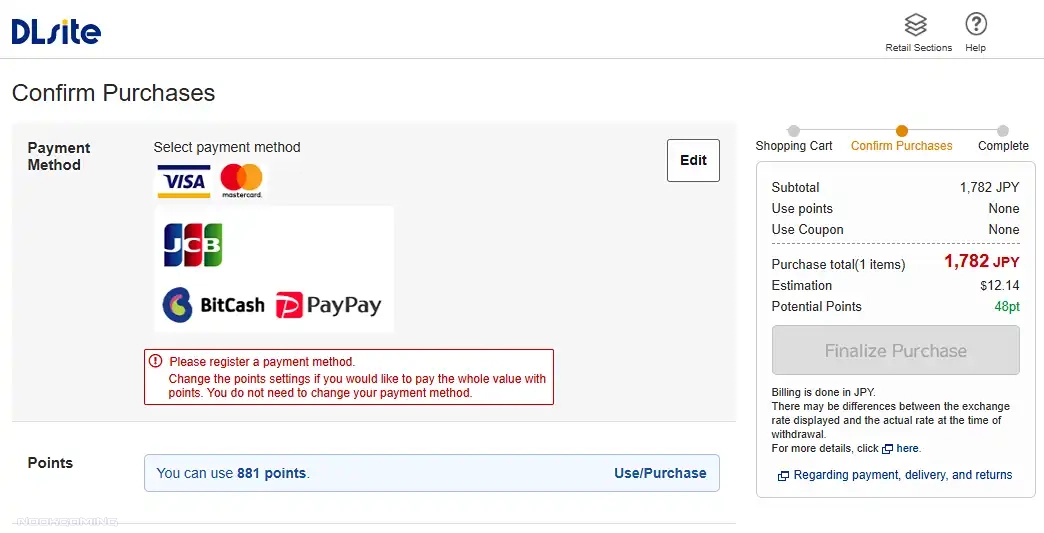
As well as that, you may find that Visa/Mastercard isn’t available as a payment option. This varies depending on what’s in your cart at the time of checkout.
Luckily, you can work around both of these issues, and this article talks about how.
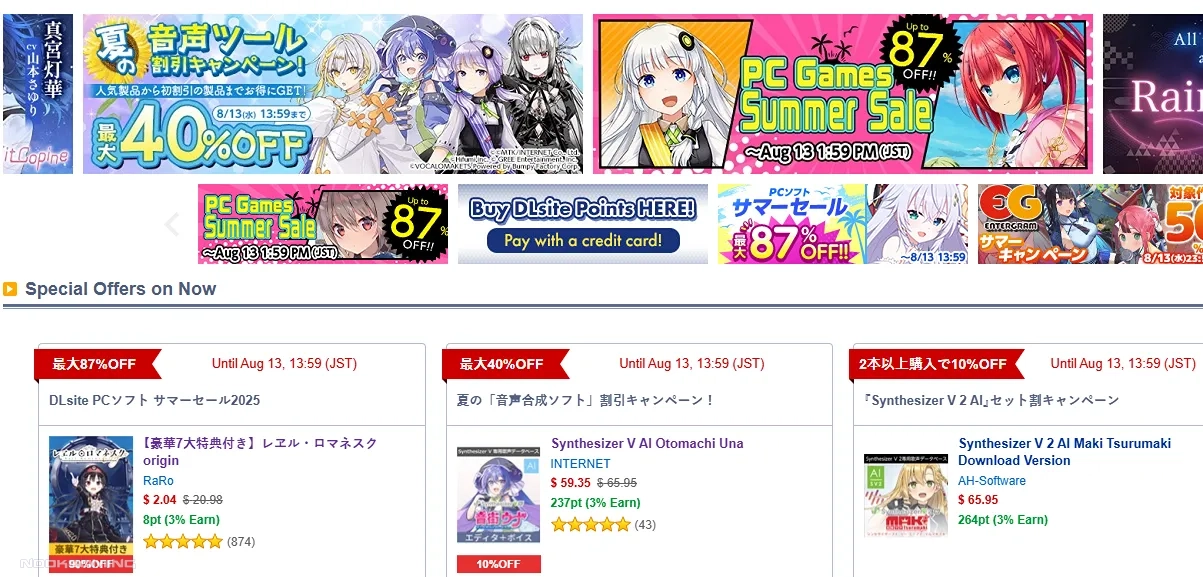
See Everything on DLSite With a VPN
DLSite restricts what you can view based on the country that it thinks you’re in. The easiest way to get around this is a VPN, which will make websites believe you’re in a different country. There are a wide variety of VPNs to use. Some are free, some are paid, and some offer VPNs for certain countries for free, while others require you to sign up for their paid services.
Many free VPNs come with drawbacks. One completely free option is VPN Gate, which is a little more complex to set up (especially if you’re not using the easier SoftEther VPN Client + VPN Gate Client Plugin method) and the servers are hosted by volunteers, so you cannot be assured of true privacy. Still, it works as a free way to browse DLSite in full and you can turn it off when you provide payment or login details at least. Be aware that they are risks however. In addition, this specific method may not work for you if your ISP uses IPv6 (you can disable this in the Network Adapter settings, but that’s out of the scope of this guide).
VPNs such as Proton VPN (which some recommend due to it’s no logs policy and location) offer both free and paid accounts, though in the case of Proton’s free account, it won’t let you choose the country you connect to until you upgrade to a paid account. Mullvad is another paid option, which is often recommended for privacy, but does not offer a free account. There are many paid VPNs which offer Japanese IPs to choose from.
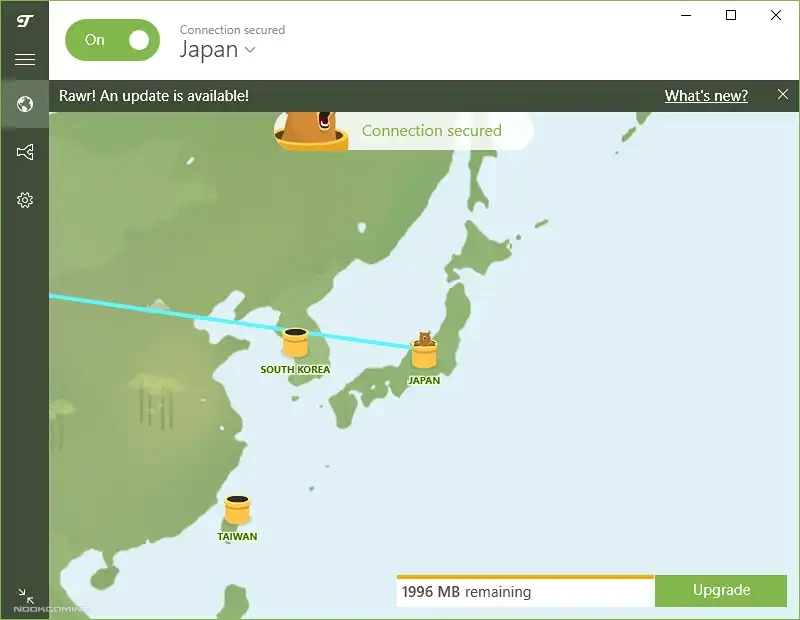
Unfortunately free options for commercial services are often limited or change which countries are available on the free plan. Tunnelbear (pictured below) is an example of this, which had offered the ability to select Japan on the free plan at the time this article was originally written, but as of the 3rd December 2025 restricts the ability to choose the country to the paid plan.
You may wish to research what VPN is best for you, but it is worth being aware that many VPNs do outreach to content creators and websites to ask them to promote their services and there’s quite a lot of astroturfing on Reddit about VPNs. As such, there are quite a lot of adverts in the guise of recommendations out there.
With any VPN, I suggest shutting down anything that handles sensitive data just in case. You may also wish to stop anything downloading or uploading large amounts of data to save your VPN data allowance.
The process will differ slightly depending on your VPN and device, but in short, you’ll want to sign up for an account, download the VPN, sign in, and then turn it on with Japan as the selected country.
After that, you can visit DLSite again. You should be able to see everything now, including the earlier example of Otome Kishi ♥ Ima Sugu Watashi o Dakishimete.
As with most websites selling digital downloads, you’ll need to sign up for a DLSite account before purchasing anything. Depending on your country, some content on DLSite may not align with your local laws. Please use best judgment when deciding what to view or purchase if this applies to you.
Buying With Visa/Mastercard
For some items, such as Holy Undead, Visa/Mastercard will remain a payment option, and you won’t have any issues. For other items where you’re limited on payment options, you can use the DLSite Point method.
With your VPN active if required, place your purchases in your cart and start the checkout process. As part of this, you should choose to use coupons to get a discount if available. Coupons are often automatically applied to your account, but not to the purchase.
As an important note, if there is an option on the store page, please make sure to select the appropriate language option for the title you wish to purchase.
On the Confirm Purchases page, you can choose to ‘Use/Purchase Points.’ Choose the ‘International Customers’ option to purchase DLSite Points. This will open a new tab.
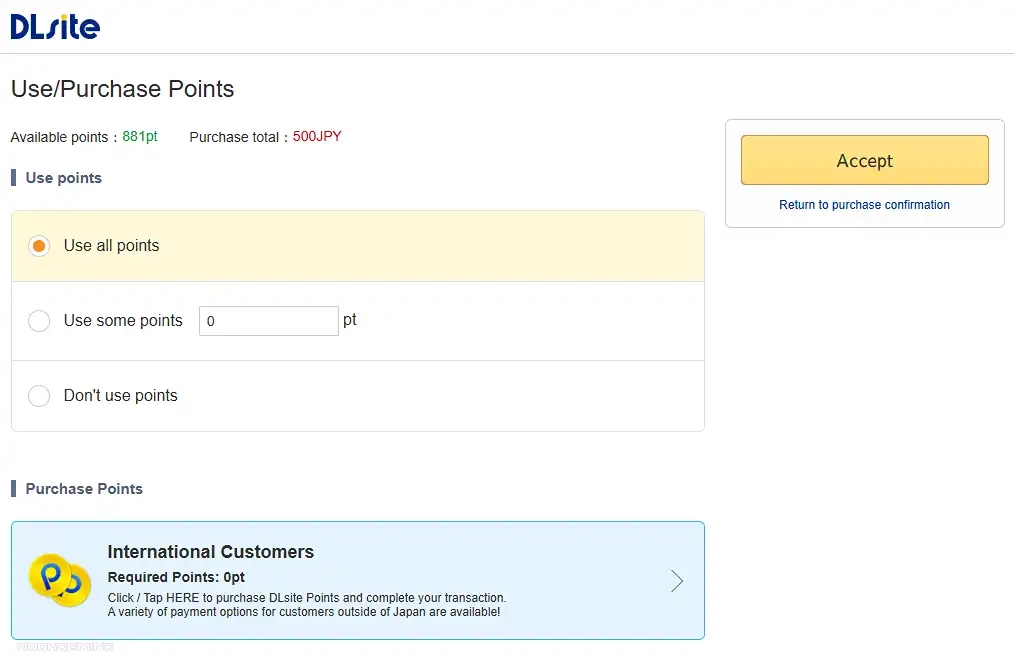
It will then present a few options for external websites where you can buy DLSite Points. Some of these will allow you to use mainstream payment methods, including Visa/Mastercard. You may wish to turn off your VPN for this stage, but you will need to turn it back on afterward if any items in your cart aren’t officially available outside of Japan. One of the options will allow you to use cryptocurrency if you wish.
500 DLSite Points (equal to 500 Yen) is the minimum amount, but certain amounts of points to purchase may not be available depending on the external website and their stock of codes. If this is the case, you will need to use one of the other website options, choose a higher denomination, or wait.
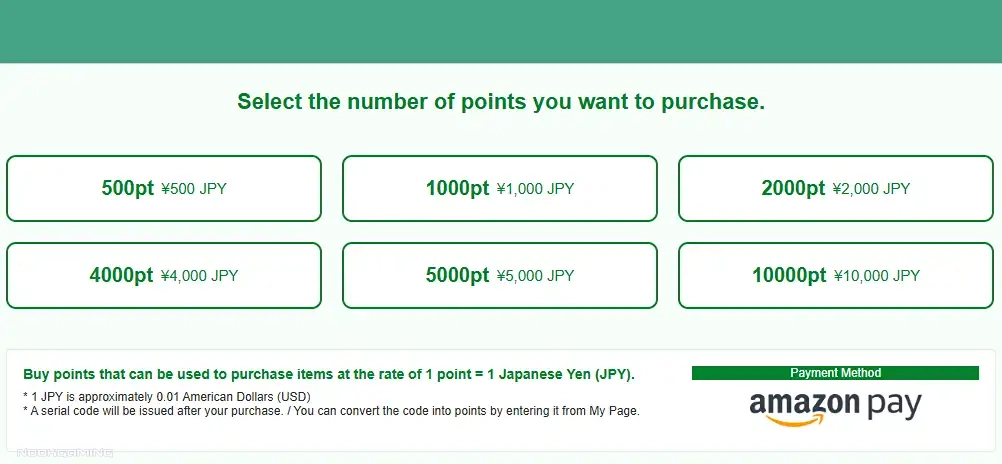
After purchasing the DLSite Points, you will receive a serial code, though it may take a short time between ordering and digital delivery. Return to the DLSite Point page and insert the purchased serial code to redeem the points.
Points are only valid for 1 year from the date of the last point usage, so be sure not to buy many more than you need.
After the points are on your account, you can return to the ‘Use/Purchase Points’ page, choose to ‘Use all points’, and click ‘Accept’. It will then return you to the ‘Confirm Purchases’ page, where you can click to ‘Finalize Purchase’. After which, you can click on ‘My Items’ in the top-right corner to view and download any purchased items. Some games and visual novels may include activation codes.

Running Japanese Games/Visual Novels
Some Japanese games and visual novels will work without any issues. However, some may need you to change your locale. Check out our article on How to Play Japanese PC Games and Visual Novels with Locale Emulator for more information on that.
If you are looking for more posts about anime games, you may enjoy our post on Some of the Best Overlooked Anime Games.

A gamer since the days of Amstrad and DOS and someone who has dabbled in a variety of professions. He enjoys a wide variety of genres, but has been focusing on visual novels and virtual reality in recent years. Head Editor of NookGaming. Follow him and the website on @NookSite.